Execution & platforms
MT5 Hedging vs Netting: What Changes for a Trading Bot?

A trading robot sends a buy order and later sends a smaller sell order on the same symbol. Has it reduced its exposure, opened a second position, or closed something? In MetaTrader 5, the answer depends on the account's position accounting system. The platform name alone does not settle compatibility.
This guide explains MT5 hedging versus netting through account-state examples. The goal is to make the expected behavior explicit before connecting a strategy. All volumes are hypothetical teaching examples, not suggested trade sizes.
Position accounting changes the result of an opposite order. An explicit close command is a separate operation.
The distinction that matters before installation
MT5 supports two position accounting systems. A netting account has one combined position per symbol. A hedging account can hold multiple positions for that symbol, including opposite directions. The broker sets the account's system. MetaQuotes documents these rules in its trading principles.
Hedging here describes how positions are recorded. It is not a promise that a strategy is protected against loss. Two opposing positions can still have costs, different entry prices and separate management rules. Conversely, a netting account does not prevent someone from designing a risk-management process; it changes the account state that the software must manage.
A useful compatibility question is therefore specific: “Does this strategy, using this software build and broker account, support this accounting mode?” The vague question “Does it work with MT5?” leaves out the behavior that matters.
Worked example: buy first, then sell
Assume an initially empty account and a single hypothetical instrument. Ignore prices, fees and margin for this example. First, a buy of 0.40 lots is filled. Later, a sell of 0.15 lots is filled as a new order.
Event | Netting account | Hedging account |
|---|---|---|
Buy 0.40 | One long position: 0.40 | One long position: 0.40 |
New sell 0.15 | One long position remains: 0.25 | Long 0.40 and short 0.15 coexist |
Directional difference | 0.25 long | 0.25 long in aggregate, with two positions |
What must be managed? | The combined position | Each position and the aggregate exposure |
The aggregate directional difference happens to match, but the records do not. A program that expects two independent positions may misinterpret the netting account. A program that assumes the smaller sell reduced the original position may misinterpret the hedging account.
Now change only the second order: sell 0.40 instead of 0.15. In the netting example, the position becomes flat. In the hedging example, submitting a separate sell can leave equal long and short positions. “Flat directional difference” and “no open positions” are different conditions. An operator should know which condition the software's stop button or completion message represents.
Orders, deals and positions are different records
An order expresses an instruction. A deal records an execution. A position represents the resulting holding. Looking only at the number of orders can hide what happened to the account. A rejected order creates no successful fill; a single order may also be filled through more than one deal.
For diagnosis, build a short event chain: request identifier, execution identifier, affected position, remaining volume. That chain lets you answer a practical question: did the software submit the wrong instruction, did execution differ from the request, or did the account correctly apply a different position model?
Use the execution audit guide for a fuller record of timestamps, fills and costs. If the order was rejected rather than applied differently, move to the order rejection checklist.
Why two strategies on one symbol need a separate check
Imagine strategy A intends to hold a long position while strategy B intends to take a short position on the same instrument. On a netting account, their deals affect a shared position. The final account state alone may not preserve each strategy's intended allocation.
Do not assume that separate chart windows, file names or strategy labels create separate broker positions. Those labels may help the application track its own decisions, but the account still applies its accounting rules. Ask the software provider how it attributes fills and reconciles the shared state.
On a hedging account, separate positions may make attribution easier to inspect, but that is not the end of the review. Which strategy is allowed to close which ticket? Does a manual intervention affect the robot's internal view? What happens when one instance restarts while another remains connected? These are operational questions to test in an appropriate non-live environment.
A compact compatibility worksheet
Record before setup | Why it matters |
|---|---|
Broker, exact server and account mode | Two accounts under one brand may differ |
Symbol, including its suffix | The instrument must match the intended configuration |
Software version and strategy | Support can depend on the specific combination |
Expected opposite-order behavior | Reduction, independent position or explicit close? |
Other software on that account | Shared exposure can change outside one instance |
Recovery procedure | The robot must resume from the actual account state |
The account mode is available programmatically through account properties; the official MQL5 account-type reference describes the relevant distinction. A non-developer should ask the broker or provider to confirm the mode rather than infer it from the account's marketing name.
Test behavior, not just a successful connection
Write down the intended sequence and expected final positions before testing.
Use an authorized test environment with the same accounting mode and instrument specifications where possible.
Check the empty-account case first, then a case with an existing position.
Compare order history, deals and open positions after each event.
Test the documented close operation separately from submitting a new opposite order.
Record how a manual close or interrupted session is handled before resuming automation.
The useful output is a short evidence sheet, not a screenshot with a green connection indicator. For example: “Second sell request filled; original position reduced; one position remains.” If the outcome differs from the written expectation, stop the compatibility exercise and resolve that mismatch before changing unrelated strategy parameters.
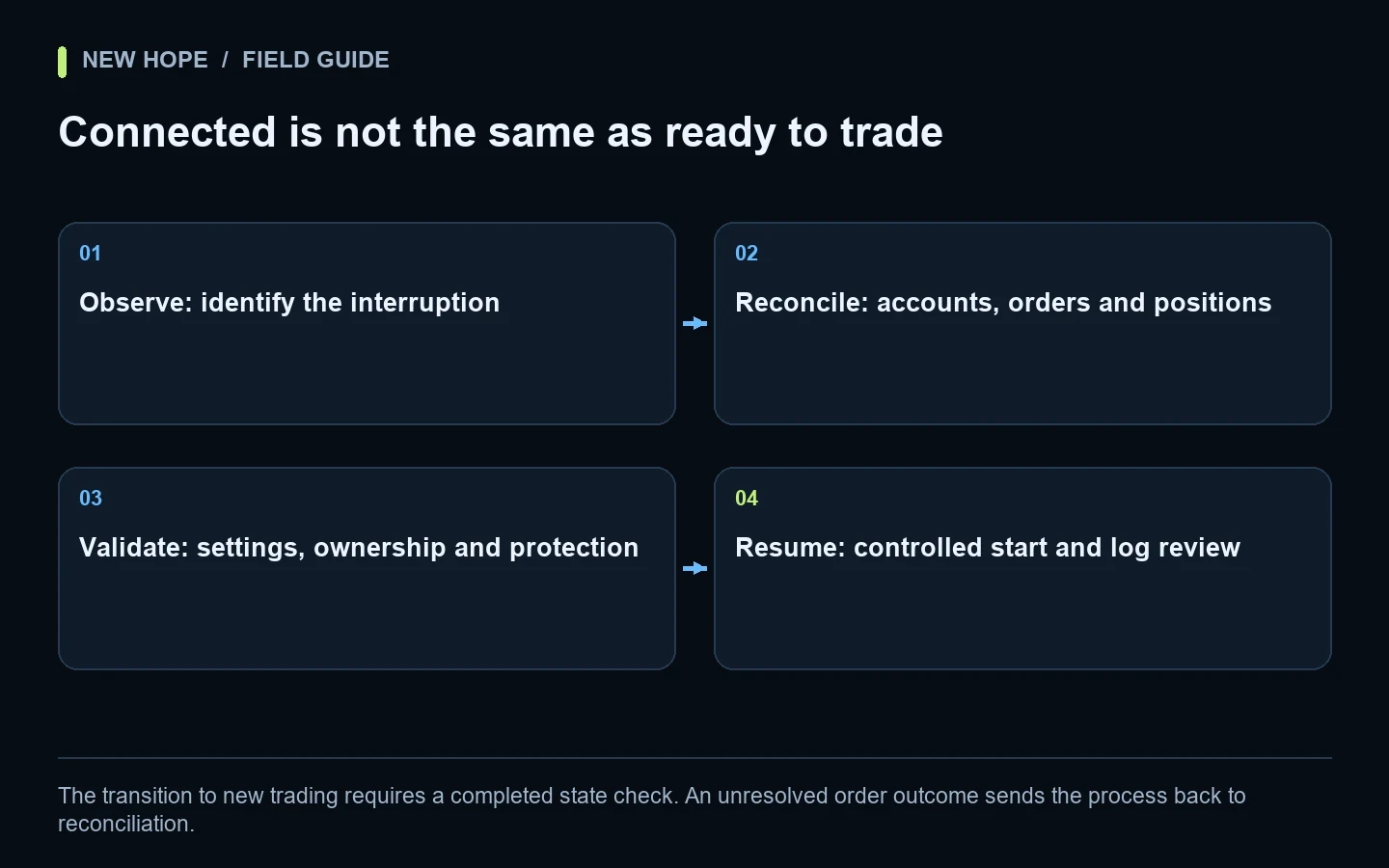
The restart and recovery checklist explains why reconciling positions is important after interruptions. A connection can be healthy while the application and account disagree about what is open.
What this means for NH PRO
NH PRO 1.5.24 supports connections involving MetaTrader 4/5, FIX API and cTrader. That does not mean every broker, account mode and strategy is interchangeable. Confirm the intended combination with the New Hope team and use the matching instructions and configuration.
The full $5,000 NH PRO package includes the software, broker information, prepared broker/instrument settings and manager assistance. The $500 evaluation is a one-time month for one user, with the robot and instructions only; it excludes broker lists, prepared settings and help configuring profitable trading. It is not renewable rental. Neither option guarantees a trading outcome.
The accompanying NH PRO video is a general setup walkthrough, not a demonstration that every hedging or netting configuration is supported. Start with the NH PRO connection guide, then review the current product and package details.
Questions worth resolving before you connect
Is a hedging account always better for a robot?
No. The appropriate mode is the one the strategy and integration are designed and verified to use. More possible position combinations can also mean more states to reconcile.
Can I change account mode inside the robot?
Do not treat an application setting as a change to the broker account. Confirm the account's actual mode and whether a different account is required.
Does an opposite trade always close an existing trade?
No. That is exactly the assumption to test. Distinguish a new opposite order from an explicit position-close action and inspect the resulting account state.
Related video
Watch the referenced video on YouTube
More articles