Trailing stops
Trailing Stops in Trading Bots: Activation, Calculation and Checks
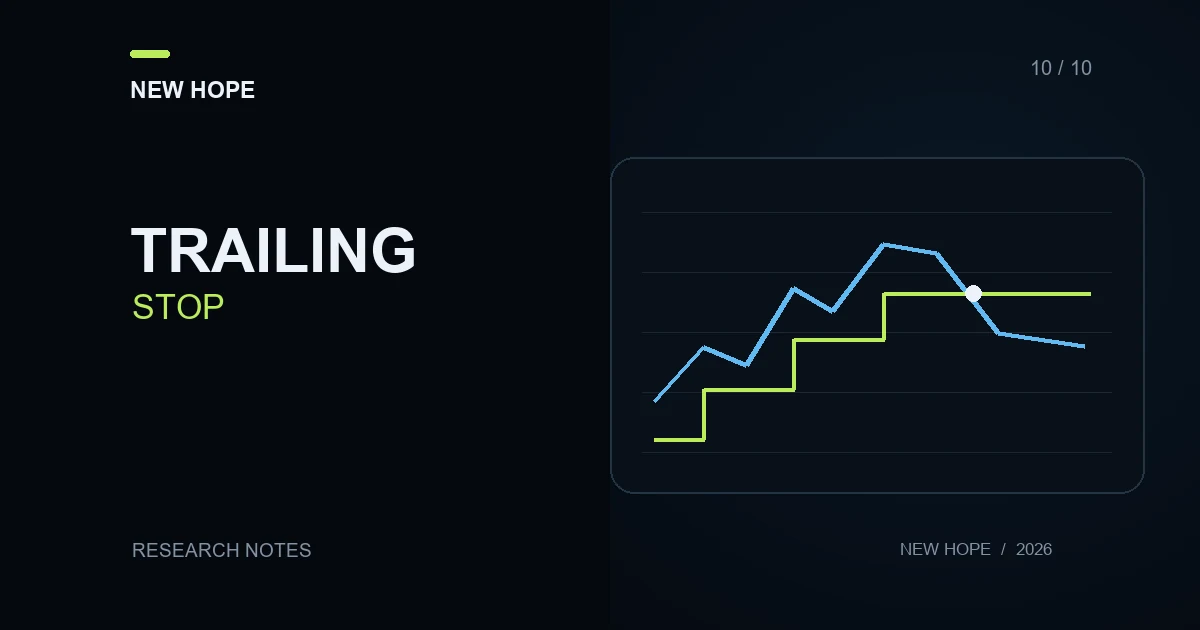
A trailing stop moves an exit condition as price moves favourably, following a defined rule. Checking a trading bot requires more than watching a line move on a chart. Establish when the rule activates, which price it observes, where it runs and what order follows a trigger.
Trailing does not guarantee preservation of displayed profit or execution exactly at the indicated level. The examples below are hypothetical verification exercises. They are not settings for a particular instrument, New Hope performance results or recommendations for a stop distance.
Separate activation, updates and execution
Activation is when the system begins applying the trailing rule.
An update changes the current exit level when the rule's condition is met.
A trigger starts the specified exit order or closing process.
Execution produces actual trades with quantities and prices.
These events should be distinguishable in a log. An entry saying “level updated” does not by itself prove that the server accepted the modification. Likewise, a trigger does not establish the eventual closing price or confirm that the entire quantity has closed.
A fixed-distance example
Consider a fictional long position with a rule that tracks the highest observed price after activation and sets the exit level 5 price units below that maximum. Assume the rule is already active at 100 and every modification is accepted without delay:
At a maximum of 100, the calculated level is 95.
A rise to 108 moves the level to 103.
A decline to 106 leaves the maximum at 108 and the level at 103.
A new maximum of 112 moves the level to 107.
A return of the observed price to 107 satisfies the exit condition.
If the exit is a market sale and its actual average fill is 106.80, the result uses 106.80. For 2 hypothetical units purchased at 100, the price-based result is 2 × (106.80 − 100) = 13.60 before fees and other applicable costs. The number 107 was a trigger level, not a confirmed trade price.
“Distance” also needs units: 5 units of quoted price, 5 points and 5% are different settings. In a separate percentage example, a high of 120 and a 5% retracement give a level of 120 × 0.95 = 114. A fixed distance of 5 would give 115. These simple calculations can reveal an incorrectly interpreted parameter.
What a separate activation price changes
Suppose a custom rule starts trailing only when price reaches 105. At 102 it is still inactive, even though a distance has already been entered. Establish whether another protective instruction exists before activation; a future trailing condition must not be mistaken for an already active stop.
For a specific venue example, Bybit documents distance-based and percentage-based retracement settings, plus an optional activation price, for perpetual and expiry positions. A qualifying reversal triggers a market exit. See its trailing-stop documentation. This describes an exchange feature, not proof that every connected bot provides it.
Where the trailing logic runs
Standard desktop MT5 trailing runs in the trading platform. Switching the terminal off stops further trailing updates; an already established Stop Loss remains active. The built-in function begins placing the level after the specified profit distance in points is reached. These conditions are documented in MetaTrader 5's help.
For a particular program, identify who stores and updates the state: the terminal, a separate process, a cloud service or the venue's infrastructure. A mobile interface or API connection does not establish this by itself. What matters is operation of the component that makes the decision and sends the instruction, not whether a screen remains visible.
A test-environment verification protocol
Describe the rule. Record position direction, observed price, distance units, activation condition and exit order type.
Prepare a price path. Include movement towards activation, a new high, a small reversal, another high and a level crossing. Test the reversed logic for a short position separately.
Calculate expected levels. Do this before inspecting the program's answer. Preserve the required price rounding rather than adjusting the expectation to fit the log.
Check acknowledgements. For each update, match the calculated level, submitted instruction and server-accepted result.
Check interruption and recovery. In an appropriate test environment, establish what remains after the relevant component stops and how the previous maximum is restored. Do not perform this experiment on an open live position.
Reconstruct the exit. Match the trigger, individual fills, remaining quantity and final status. Record any simulation limitations that remain untested.
Also examine a rejected level modification. If the program requests a new stop but the venue does not accept it, the calculated screen value cannot be treated as the active instruction. A useful support report includes both records and the rejection reason, where available.
What a successful check establishes
The check succeeds when the calculation is reproducible and every state change can be explained. It does not establish that the chosen distance will be profitable. Logical correctness, connection availability and execution quality require separate observations.
The difference between an instruction and a trade is explored in limit and market orders. Simulation limitations are covered in demo versus live trading. Before using a particular configuration, ask New Hope which component manages exits and which events its logs expose, specifying the platform, version and account type.
More articles